All integrations

Bash helpers

Cron jobs, systemd services, Makefile recipes, Docker entrypoints.

LiveCLI & Shellenv var
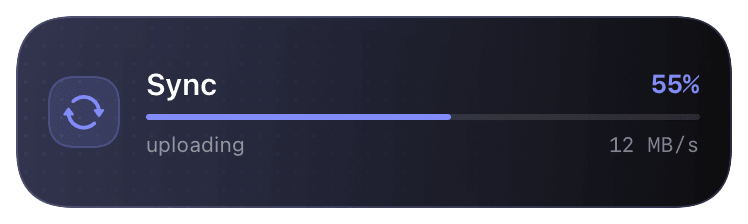
progress (indigo-55) Live Activity preview
shell job

Pure-bash helper functions. Source one file and you get `chirp_notify`, `chirp_wrap`, `chirp_start`, `chirp_update`, `chirp_end` as shell functions. No CLI binary, no Python interpreter, no Node - just curl. Designed for places where the full CLI is overkill or unavailable: cron jobs, systemd units, Docker entrypoints, Makefile recipes, sh-only environments.

Functionally equivalent to the CLI minus the polished UX. `chirp_wrap @deploy "prod" -- ./deploy.sh` is the bash equivalent of `chirp run -s @deploy -n "prod" -- ./deploy.sh`. Pick CLI for interactive laptop use; pick bash helpers for embedded / CI / service-account contexts where pulling in a binary is annoying.

Prerequisites

  • Bash 4+ (most modern Linuxes, macOS Homebrew bash). Pure POSIX sh works for `chirp_notify` only - wrap and start need bash arrays.
  • `curl` available on PATH.
  • `CHIRP_API_KEY` set in env.

Setup

  1. 1

    Download chirp.sh

    Single shell script, ~3 KB. Drop it anywhere - most common locations are ~/.chirp.sh (per-user) or /usr/local/share/chirp.sh (system-wide).

    shell
    curl -fsSL https://chirpapp.dev/connectors/bash/chirp.sh -o ~/.chirp.sh
  2. 2

    Set CHIRP_API_KEY in the environment

    How depends on context:

    shell
    # Interactive shell - add to ~/.zshrc / ~/.bashrc:
    export CHIRP_API_KEY=chirp_sk_...
    
    # systemd unit - set in [Service] block:
    # Environment="CHIRP_API_KEY=chirp_sk_..."
    
    # Cron - use a wrapper script that sources an env file:
    # 0 3 * * * /usr/bin/env -i CHIRP_API_KEY=chirp_sk_... /home/me/backup.sh
  3. 3

    Source + use

    Source the file, then call any helper. The file is idempotent - sourcing twice is a no-op.

    shell
    source ~/.chirp.sh
    
    # One-shot notification:
    chirp_notify "Deploy done" "production live, 4m 12s"
    
    # Wrap a command (start, run, end, propagate exit code):
    chirp_wrap @deploy "nightly" -- ./deploy.sh
    
    # Manual start/update/end for finer control:
    chirp_start @training "qwen-7b"
    for epoch in 1 2 3 4 5; do
        train_one_epoch $epoch
        chirp_update '{"progress":'"$(echo "$epoch / 5" | bc -l)"'}'
    done
    chirp_end
  4. 4

    (Optional) Use in a Makefile

    Make's .SHELLFLAGS = -ec plus sourcing chirp.sh at the top of a recipe gets you the helpers per-recipe.

    shell
    .SHELLFLAGS := -ec
    
    deploy:
    	source ~/.chirp.sh && chirp_wrap @deploy "make-deploy" -- ./deploy.sh

What you’ll see

Same cards as the CLI / SDK paths - schema picks the layout. `chirp_notify` fires a one-shot push. `chirp_wrap` opens an activity, runs the command, closes on exit. `chirp_start` / `chirp_end` are the lower-level pair when wrap doesn't fit (e.g. you want to interleave updates with conditional logic).

Troubleshooting

Functions don't exist after sourcing.
If your shell is sh (POSIX), only chirp_notify is defined. Bash arrays are required for wrap/start. Either switch to bash chirp.sh invocations or upgrade the shell. Check with echo $BASH_VERSION.
Cron job doesn't fire pings.
Cron environments are very minimal - CHIRP_API_KEY and PATH are usually unset. Either set them in the crontab line itself, or source a profile script in the wrapper.
Set -e + chirp_wrap kills my script on a failed command.
chirp_wrap propagates exit codes by design. If you want set-e to ignore a wrap failure, run inside set +e; chirp_wrap ...; rc=$?; set -e.