All integrations

Bitbucket Pipelines

Atlassian shops - same CI story via bash helpers.

LiveCI / CDenv var
progress (primary) Live Activity preview
Bitbucket pipeline

Bitbucket Pipelines doesn't ship a first-class plugin/orb system, so Chirp's integration is the simplest possible: a single `source <(curl ...)` line at the top of any step pulls down the bash helpers as functions in the current shell. Every step that wants reporting calls `chirp_start` / `chirp_update` / `chirp_end` / `chirp_wrap`.

`chirp_wrap` is the highest-leverage helper - give it a schema, an activity name, and a command, and it brackets the command with start/end events automatically. The end event reads the wrapped command's exit code, so the card closes the right color without you writing any if-statements.

Prerequisites

  • A Bitbucket repo with admin access (needed to add repository variables).
  • Bitbucket Pipelines enabled (Pipelines tab → Enable).
  • A Chirp API key from chirpapp.dev/dashboard.

Setup

  1. 1

    Add CHIRP_API_KEY as a secured repository variable

    Bitbucket repo → Repository settings → Repository variables. Add CHIRP_API_KEY, paste the key, tick **Secured** so it's masked in logs and not exposed to PRs from forks. The bash helpers read this exact name from the environment.

  2. 2

    Source the helpers at the top of any step

    Single line. curl -fsSL fetches the script (small, ~3 KB), source <(...) defines the helper functions in the current shell. The functions persist for the remainder of the step.

    shell
    source <(curl -fsSL https://chirpapp.dev/connectors/bash/chirp.sh)
  3. 3

    Wrap a build phase with chirp_wrap

    Single helper that brackets a command with start + end events. The trailing -- separates wrap arguments from the wrapped command. Exit code propagates: card closes green on 0, red on non-zero.

    bitbucket-pipelines.yml
    pipelines:
      branches:
        main:
          - step:
              name: Deploy
              script:
                - source <(curl -fsSL https://chirpapp.dev/connectors/bash/chirp.sh)
                - chirp_wrap @deploy "prod-main" -- ./deploy.sh
              deployment: production
  4. 4

    (Optional) Manual start/update/end for finer control

    When a single command isn't the whole story (e.g. multi-phase deploy), use the lower-level helpers. chirp_start returns an activity ID via $CHIRP_ACTIVITY_ID; subsequent chirp_update and chirp_end use it automatically.

    shell
    chirp_start @deploy "prod-main" '{"stage":"build"}'
    npm ci && npm run build
    chirp_update '{"stage":"deploying","progress":0.7}'
    ./deploy.sh
    chirp_end '{"stage":"done"}'

What you’ll see

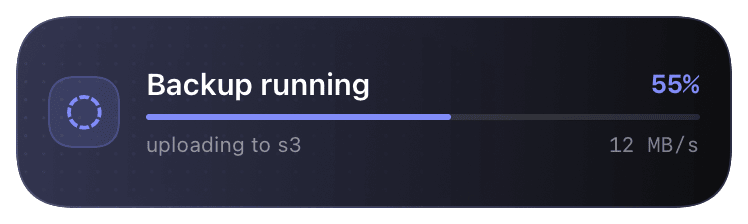
Card header: Bitbucket blue logo + "Bitbucket · DEPLOY" + repo slug. Action line shows the wrapped command and current stage. Closes green if the wrapped command exited 0, red otherwise. Failure cards include the last 5 lines of stderr so you can triage from the lock screen without opening Bitbucket. Tap the card to deep-link to the pipeline page.

Troubleshooting

`source: not found` or `<()` syntax error.
Bitbucket Pipelines defaults to /bin/sh, not bash. Add image: atlassian/default-image:4 (or any image with bash) at the pipeline level, or invoke the script with bash <(curl -fsSL ...).
chirp_wrap exits the step before my next command runs.
chirp_wrap propagates the wrapped command's exit code with set -e semantics. If you need subsequent steps to run regardless, run wrap inside set +e; chirp_wrap ...; set -e or use the manual start/end pair.
401 unauthorized from the helper.
Bitbucket strips secured variables on PR builds from forks. Either don't run the deploy step on forks (branches: { main: ... } instead of default:), or use a non-secured variable (less safe - your call).