All integrations

CLI - chirp run

Any command that already exists - no code changes.

LiveCLI & Shellchirp login
progress (primary) Live Activity preview
wrapped command

`chirp run` is the highest-leverage Chirp integration: zero code changes, wraps any command. Opens an activity, executes the command, closes green on exit 0 / red on anything else. Stdout streams through unchanged so you can pipe through `chirp run` mid-pipeline without breaking anything.

This is the right answer for 80% of use cases. Long-running shell commands (`./deploy.sh`, `python train.py`, `xcodebuild`, `make build`) - wrap and walk away. The activity name + schema control the card's appearance; the wrapped command's exit code controls the outcome.

Prerequisites

  • macOS, Linux, or WSL.
  • A Chirp account.

Setup

  1. 1

    Install the CLI

    Single-line installer. Drops the chirp binary at ~/.chirp/bin/chirp and adds it to PATH via your shell rc.

    shell
    curl -fsSL https://chirpapp.dev/install.sh | bash
  2. 2

    Pair your laptop

    chirp login opens a browser, you sign in, the CLI receives a token and writes it to ~/.chirp/credentials. One-time per machine.

    shell
    chirp login
  3. 3

    Wrap any command

    Three flags: -s schema, -n name (the card's primary label), -- separator before the wrapped command. Exit code propagates: card closes green on 0, red otherwise.

    shell
    # Deploy:
    chirp run -s @deploy -n "prod-main" -- ./deploy.sh
    
    # Training:
    chirp run -s @training -n "qwen-7b sft" -- python train.py --epochs 10
    
    # iOS archive:
    chirp run -s @build -n "TestFlight ship" -- xcodebuild archive -scheme MyApp
    
    # Anything that exits - even a one-liner:
    chirp run -n "doctl shipped" -- doctl apps create-deployment $APP_ID
  4. 4

    (Optional) Mid-pipeline use

    chirp run can sit anywhere in a pipeline. Stdout passes through; the card just observes the lifecycle.

    shell
    cat large.csv | chirp run -n "csv import" -- python import.py | tee import.log

What you’ll see

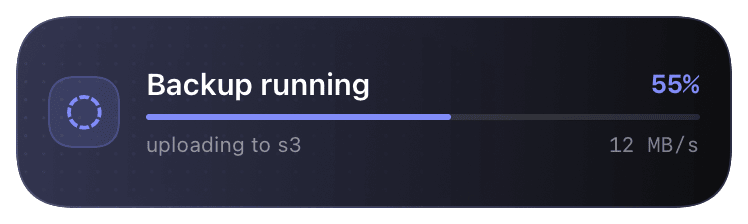
Card header: Chirp logo + the schema's prefix (e.g. "DEPLOY") + name from `-n` + machine hostname. Action line shows the wrapped command (truncated) and elapsed time. Closes green on exit 0 with the duration; red on non-zero exit with the exit code and the last line of stderr. Tap the card to deep-link to the activity log on chirpapp.dev/dashboard.

Troubleshooting

command not found: chirp.
The installer adds ~/.chirp/bin to PATH via your shell rc. Either source the rc (source ~/.zshrc) or open a new terminal. If it's still not found, manually add export PATH="$HOME/.chirp/bin:$PATH" to your rc.
Card opens but exit code shows as 0 even though the command failed.
Probably the command itself swallows non-zero exits (e.g. make with -i, or a script with set +e). chirp run reads the wrapped process's actual exit code; if the script exits 0 explicitly despite internal failures, Chirp can't know.
I want different schema variants per command type.
All Chirp schemas are listed at chirpapp.dev/templates. Pick the one that matches your work shape - @deploy, @build, @training, @agent, @incident. The card layout matches the schema; pass the right one.