Codex
Agent status plus exact approval through a trusted native Codex hook.
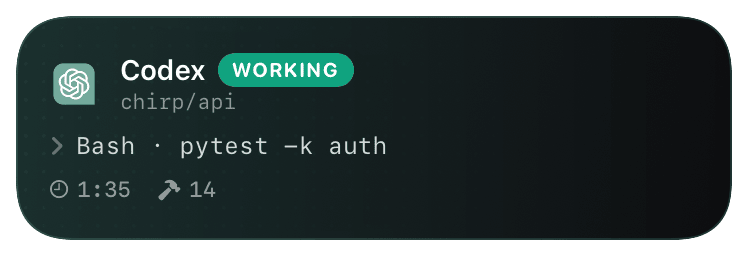
The Chirp Codex plugin bundles a synchronous PermissionRequest command hook. After one-time review and trust, it can return one exact, bound allow/deny decision.
Chirp's owned App Server client is an alternative for a client that receives the approval request directly. Notify, wrapper, and MCP paths alone are status-only.
Prerequisites
- A reviewed Chirp plugin/CLI source build and a Codex release with plugin marketplaces and lifecycle hooks.
- A paired host and production-signed iPhone build.
Setup
- 1
Install the local preview
chirp setup codexpairs the host when needed, registers the exact bundled marketplace, installs and enables Chirp through the official Codex CLI, and reads the installed state back before reporting success. Use--manualif you want it to print the equivalent commands instead. The public Plugins Directory listing is not live yet. - 2
Restart, then review in Codex CLI
Restart Codex, start a new task in Codex CLI, run
/hooks, and review/trust the exact PermissionRequest command definition there. Installation does not implicitly trust executable hooks. A corresponding hook-review surface in the ChatGPT desktop app has not been verified and must not be advertised as available. - 3
Use the alternative owned client
If you are embedding Codex instead, run the source
chirp codexApp Server client. Adding only MCP, notify, or a wrapper does not grant approval authority.shellnode /absolute/path/to/ChirpApp/cli/dist/index.js codex - 4
Verify a bound decision
Trigger a real Codex approval, confirm the phone summary matches, and prove allow-once/deny is consumed once. The maximum wait is 60 minutes while the upstream request remains pending.
What you’ll see
A coding-agent activity for status and, for one currently blocked hook or App Server request, a one-time approval state. iOS requires device authentication/unlock before a Lock Screen action executes; the system controls that authentication UI.