All integrations

RunPod

RunPod serverless jobs - async completion without polling.

LiveServicesigned URL
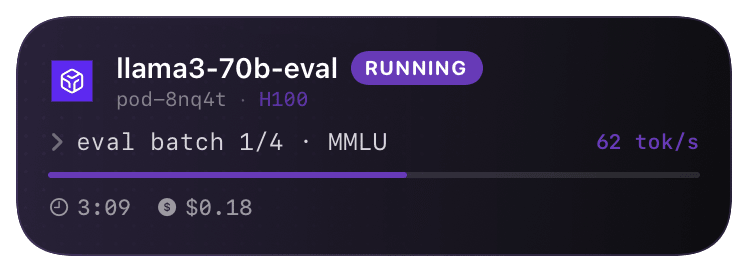
runpod (running) Live Activity preview
what shows on your phone

RunPod's serverless endpoints (`/v2/<endpoint_id>/run`) accept a `webhook` field in the request body. Unlike Replicate's per-event filter, RunPod fires exactly one POST per job - when the worker reaches a terminal state (COMPLETED, FAILED, CANCELLED, TIMED_OUT). No "running" updates from RunPod; the activity opens on submission and closes on completion.

This is async by design: submit the job, get an ID back immediately, the worker runs whenever a GPU is free, and RunPod calls you when it's done. Without webhooks you'd have to poll `/status/<job_id>` every few seconds - the webhook replaces that with a single inbound POST.

Prerequisites

  • A RunPod serverless endpoint (`endpoint_id`) and API key.
  • A Chirp inspector / webhook URL.

Setup

  1. 1

    Pass the webhook URL when submitting a job

    Single new field in the JSON body. The Chirp side opens the activity on the inbound submit (well, on a synthetic "queued" event triggered by your client also POSTing to start) - but in practice, the easiest pattern is to pair chirp.start() from your submission script with the RunPod webhook for completion.

    shell
    curl https://api.runpod.ai/v2/<endpoint_id>/run \
      -H "Authorization: Bearer $RUNPOD_API_KEY" \
      -H "Content-Type: application/json" \
      -d '{
        "input": {"prompt": "..."},
        "webhook": "https://api.chirpapp.dev/v1/webhooks/runpod?key=YOUR_KEY"
      }'
  2. 2

    (Recommended) Pair with chirp.start on submit

    Since RunPod only fires on completion, pair the submission with a Chirp start so the card opens immediately. Your script gets a runpod job ID; pass it as key so the completion webhook closes the same card.

    python
    import requests, chirp
    
    # 1. Submit + open the card
    res = requests.post(
        f"https://api.runpod.ai/v2/{ENDPOINT_ID}/run",
        headers={"Authorization": f"Bearer {RUNPOD_API_KEY}"},
        json={
            "input": {"prompt": "..."},
            "webhook": f"https://api.chirpapp.dev/v1/webhooks/runpod?key={CHIRP_KEY}",
        },
    ).json()
    
    chirp.start("@runpod", {
        "key":      res["id"],          # runpod job id - webhook will use this
        "jobName":  "summarize-batch",
        "endpoint": ENDPOINT_ID,
    })
    # Card now showing on phone. RunPod's webhook will close it on completion.
  3. 3

    (Optional) Same thing for the SDK's run_sync

    RunPod's Python SDK supports run_sync and run methods. Both accept a webhook kwarg that maps to the same field.

    python
    from runpod import Endpoint
    ep = Endpoint(ENDPOINT_ID)
    job = ep.run({"prompt": "..."},
                 webhook=f"https://api.chirpapp.dev/v1/webhooks/runpod?key={CHIRP_KEY}")

What you’ll see

Card header: RunPod purple logo + "RunPod · RUNNING" + endpoint ID + job name. Action line shows queue position when queued, then the worker GPU type when running. Closes on RunPod's terminal status: green for COMPLETED, red for FAILED / TIMED_OUT, orange for CANCELLED. Tap to open RunPod's job detail page.

Troubleshooting

Card opens but never closes.
RunPod's webhooks have a 10s POST timeout - if Chirp's API takes longer to ack, RunPod gives up and doesn't retry. This is rare (median Chirp ack is <300ms) but possible during incidents. As a backup, your client can poll /status/<job_id> and call chirp.end() manually if RunPod hasn't fired by some deadline.
I'm getting two cards per job.
Probably you called chirp.start() AND set up a generic RunPod inspector that opens cards on submit. The pattern is one or the other: either chirp.start() in your script (preferred, gets you the card before RunPod even queues), or a Chirp inspector that hooks RunPod's whole-account events.
External docs →