All integrations

Better Stack

Better Stack heartbeats / monitors - incidents on your lock screen.

LiveServicesigned URL
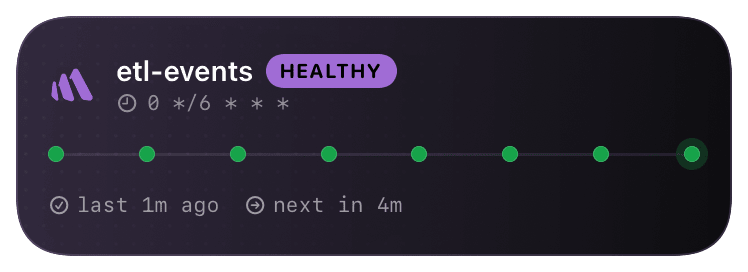
betterstack (healthy) Live Activity preview
what shows on your phone

Better Stack (formerly Better Uptime) has the most operationally-rich webhook payload of the three monitor providers - it includes the on-call user, the escalation step, the incident URL, and the screenshot URL when applicable. Chirp's @betterstack schema surfaces all of it: the card shows who's on-call so you don't have to ask, and tapping deep-links to the incident with one tap.

Better Stack fires webhook events for incident *start*, *acknowledge*, and *resolve*. The card opens on start, updates with the ack-er's name on acknowledge (the "who's looking at this" question), and closes on resolve with the total downtime.

Prerequisites

  • A Better Stack Uptime account.
  • At least one monitor configured.
  • A Chirp inspector / webhook URL.

Setup

  1. 1

    Add the Webhook integration

    Better Stack → Uptime → Integrations → "Other integrations" → Webhook → Connect. (Note: Better Stack has both "incoming webhooks" - for receiving alerts FROM other tools - and "outgoing webhooks" - for sending alerts TO other tools. Chirp uses outgoing.)

  2. 2

    Paste the Chirp URL

    URL is your Chirp inspector. The inspector key in the URL is the auth - Chirp doesn't validate Better Stack's signing secret on the @betterstack endpoint. Leave the optional secret blank in Better Stack's UI, or set one but don't share it with us.

    shell
    https://api.chirpapp.dev/v1/webhooks/betterstack?key=YOUR_KEY
  3. 3

    Pick events + attach to monitors

    On the integration page, tick Incident.Started, Incident.Acknowledged, Incident.Resolved. Then on each monitor's settings page, add the integration to its escalation policy. Bulk-assign via the monitors index page.

  4. 4

    (Optional) Attach to heartbeats too

    Better Stack heartbeats (their version of cron monitors) fire the same events. The same integration covers both monitors and heartbeats - no separate Chirp config needed.

What you’ll see

Card header: Better Stack purple logo + monitor name + environment tag. Action line shows incident title + on-call user ("David is paged"). On Acknowledge, the card updates to show the acknowledger ("Sarah acked, looking into it"). On Resolve, the card closes green with total downtime ("resolved after 8m"). If Better Stack attached a screenshot to the incident, the card includes a small thumbnail.

Troubleshooting

Card opens on Started but never updates on Ack/Resolve.
Different escalation policies have different event sets enabled. Edit the integration → ensure all three events (Started, Acknowledged, Resolved) are ticked AND attached to the policy that fires for these monitors.
On-call user shows as "unknown" on the card.
Better Stack only includes the on-call user when the alert routes through an escalation policy. If the monitor alerts directly (no policy), the user field is empty. Add an escalation policy to the monitor or accept the unknown.
External docs →