All integrations

CircleCI

Teams running CircleCI - drop-in orb, no publishing required.

LiveCI / CDenv var
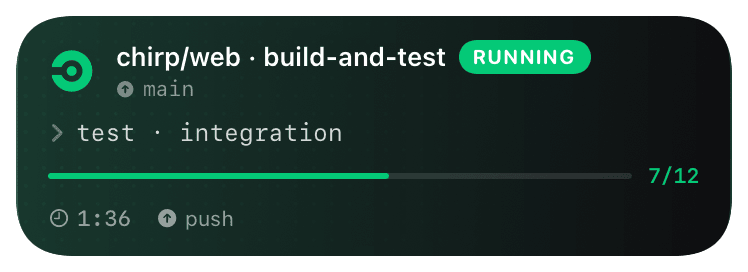
circleci (running) Live Activity preview
what shows on your phone

Chirp ships an inline CircleCI orb you reference by URL - no Orb Hub publish required, no version bump dance. The orb exposes a single `chirp/send` command that wraps `curl` and the Chirp HTTP API. Drop it between steps to bracket your build phases with start/update/end events.

Inline orbs are a CircleCI-native pattern (`orbs: { name: { url: ... } }`) - CircleCI fetches the URL on every pipeline run and inlines the YAML. You always get the latest orb without bumping a version pin.

Prerequisites

  • CircleCI project access with the ability to add environment variables.
  • CircleCI config v2.1+ (orbs require 2.1).
  • A Chirp API key from chirpapp.dev/dashboard.

Setup

  1. 1

    Add CHIRP_API_KEY in project settings

    CircleCI → Project Settings → Environment Variables → Add Variable. Name CHIRP_API_KEY, value from your dashboard. CircleCI auto-injects it into every job in the project. For shared keys across many projects, use a Context instead and reference it under jobs: deploy: context:.

  2. 2

    Reference the orb

    At the top of .circleci/config.yml, add the orbs block. CircleCI fetches the orb on every run, so updates land automatically - pin to a tagged URL (/orb-v1.yml) if you want stability.

    .circleci/config.yml
    version: 2.1
    
    orbs:
      chirp:
        url: https://chirpapp.dev/connectors/circleci/orb.yml
  3. 3

    Use chirp/send around your build steps

    The chirp/send command takes action, schema, and a JSON data blob. Bracket your real work between a start and an end. Use when: always on the end step so cancelled or failed jobs still close the card.

    .circleci/config.yml
    jobs:
      deploy:
        docker: [{ image: cimg/node:20 }]
        steps:
          - checkout
          - chirp/send:
              action: start
              schema: "@deploy"
              data: '{"repo":"<< pipeline.project.git_url >>","stage":"build"}'
          - run: npm ci && npm run build
          - run: ./deploy.sh
          - chirp/send:
              action: end
              schema: "@deploy"
              data: '{"stage":"done"}'
              when: always
  4. 4

    (Optional) Multi-step progress

    Splice chirp/send with action: update between phases for fine-grained progress. The card's timeline shows each update as a checkmark.

    shell
    - chirp/send: { action: update, schema: "@deploy", data: '{"stage":"tests","progress":0.5}' }
    - run: npm test
    - chirp/send: { action: update, schema: "@deploy", data: '{"stage":"deploy","progress":0.8}' }
    - run: ./deploy.sh

What you’ll see

Card header: CircleCI black logo + "CircleCI · DEPLOY" + project name. Action line shows pipeline number + current step. Closes green on success, red on failure (CircleCI's `CIRCLE_JOB_RESULT` env var threads through automatically). Tap the card to open the build page in CircleCI. Workflow with parallel jobs (e.g. test-matrix) opens one card per job - pass a stable `key:` argument to coalesce.

Troubleshooting

Config validation fails with "orbs are not allowed in config v2.0".
Bump the top of your config to version: 2.1. Orbs require 2.1+ and CircleCI rejects 2.0 configs that reference them.
Card opens but never closes.
The end step needs when: always to fire on cancelled/failed jobs. Without it, only successful runs close the card and failures hang at "working" until they auto-expire after 4h.
Inline orb fetch fails with "could not resolve URL".
CircleCI's orb resolver runs on the scheduler, not the runner - it must reach chirpapp.dev. Self-hosted CircleCI server users behind air-gap need to mirror the orb internally and reference the internal URL.
I want to use this in a workflow with approval gates.
Add an action: notify send before the approval job and one after - Chirp surfaces both on the card timeline so you can see "awaiting approval" without opening CircleCI.