All integrations

GitHub webhook

Repos not using Actions, or global org-level events.

LiveWebhooksigned URL
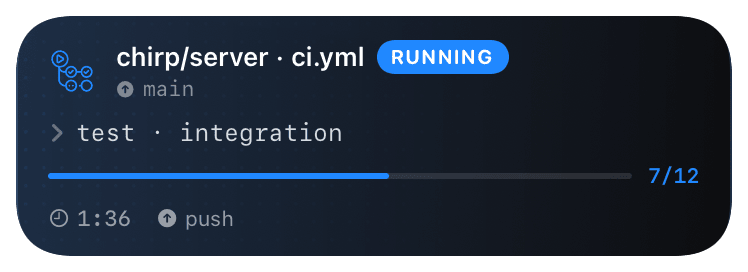
gh-actions (running) Live Activity preview
what shows on your phone

GitHub's webhook system is the most powerful of the bunch - fires for every meaningful event in a repo (or org). Chirp's @github inspector handles the most common ones: `deployment_status` becomes a @deploy Live Activity, `workflow_run` becomes a @build activity, `release` and `pull_request` become one-shot notifications.

Use this when you don't want to add the GitHub Action to every workflow, or when you want events from repos you don't own (org-level webhooks). The Action is more granular per-job; the webhook is zero-config across the whole repo.

Prerequisites

  • A GitHub repo or org with admin access.
  • A Chirp inspector / webhook URL.

Setup

  1. 1

    Open the webhook settings

    Repo: Settings → Webhooks → Add webhook. Org: Organization settings → Webhooks → Add webhook.

  2. 2

    Configure the webhook

    Payload URL is your Chirp inspector. Content type **must be application/json** (Chirp doesn't accept the form-encoded variant). The inspector key in the URL is the shared secret that authenticates inbound webhooks - keep it private and rotate from the dashboard if leaked.

    shell
    Payload URL: https://api.chirpapp.dev/v1/webhooks/github?key=YOUR_KEY
    Content type: application/json
    Secret: (leave blank - inspector key in the URL is the auth)
    SSL verification: Enable
    Which events: "Let me select individual events"
  3. 3

    Pick events to forward

    Tick at minimum: deployment_status (closes Chirp's @deploy cards), workflow_run (workflow start/finish), release (one-shot notification). Add pull_request and issues if you want a noisy "everything" inspector.

  4. 4

    (Optional) Org-level for cross-repo coverage

    Org webhooks fire for every repo in the org. Great for a single "all production deploys" inspector. Pair with a per-repo filter in the Chirp inspector settings if you want to scope down.

What you’ll see

deployment_status: GitHub Octocat logo + "GitHub · DEPLOY" + repo + environment. workflow_run: "GitHub · WORKFLOW" + workflow name. release: one-shot notification with the tag + release title. PR/issue events: simple notifications. The repo path is the dedupe key - multiple deploys to the same repo coalesce into one card.

Troubleshooting

Webhook saves but no events fire.
GitHub's webhook page has a "Recent Deliveries" tab. Trigger a test event (push a commit, dispatch a workflow) and check whether GitHub even attempted delivery. If the deliveries list is empty, you didn't tick the right events; if it shows non-2xx, the URL or secret is wrong.
Card opens but never closes on workflow_run.
GitHub fires workflow_run with action=requested, then in_progress, then completed. If you only ticked workflow_run without specifying actions, you should get all three. If only requested is firing, your event filter is dropping the others - re-tick the event without action filters.