All integrations

Webhook Inspector

Watch any service's webhooks stream live on your lock screen.

LiveWebhookchirp login
webhook-inspector (live-raw-inspector) Live Activity preview
what shows on your phone

Webhook Inspector is the iOS-native equivalent of webhook.site. You mint a unique receive URL, paste it as the destination in any third-party that POSTs to webhooks (Stripe, GitHub, Linear, Shopify, Slack, custom curl tests), and your lock screen lights up on every inbound event with the method, path, response code, and a per-minute rate counter.

The killer feature is the optional forward: when you set a forward URL, Chirp observes the event AND relays it transparently to your existing webhook endpoint with the original method/headers/body bytes preserved. This means signed webhooks from Stripe, GitHub, Shopify, etc. - where the signature is HMAC of the exact body bytes - verify correctly on the downstream side. You don't have to take down your existing integration to add Chirp; Chirp sits in front and watches.

Prerequisites

  • Chirp installed on your phone, signed in.
  • Any service that POSTs to a webhook URL (Stripe, GitHub, etc.). No code change required.

Setup

  1. 1

    Create the inspector token

    On the dashboard, go to Inspectors → New inspector. Give it a friendly name like "Stripe webhooks". You'll get back a unique URL of the form https://api.chirpapp.dev/inspect/<token>. Tokens are 16 chars of base32, collision-resistant. You can mint up to 25 active inspectors per account; revoke from the dashboard at any time.

  2. 2

    (Optional) Configure transparent forward

    Paste your existing webhook destination into the Forward URL field - e.g. https://myapp.com/stripe-webhook. When events arrive at Chirp, we receive them, push the Live Activity update, and relay the request to your downstream URL with method, headers, and raw body bytes intact. The downstream's response code is returned to the original sender so its retry logic still works correctly. Skip this step for a bare inspector that just observes.

  3. 3

    Paste the receive URL into the third party

    Each service has its own webhook settings page. The exact path varies but the pattern is the same:

    shell
    # Stripe:    Developers → Webhooks → Add endpoint
    # GitHub:    repo Settings → Webhooks → Add webhook
    # Linear:    Settings → API → New webhook
    # Shopify:   Notifications → Webhooks → Create webhook
    # Custom:    POST https://api.chirpapp.dev/inspect/<token> from your app
    
    # Test it:
    curl -X POST https://api.chirpapp.dev/inspect/<token> \
      -H "Content-Type: application/json" \
      -d '{"hello":"world"}'
  4. 4

    Watch the lock screen

    First event arrival starts a Live Activity. Each subsequent event bumps the counter, updates the last-event preview, and (in verbose mode) appends to a stacked timeline of the most recent 5 events. The activity stays alive until you dismiss it from the dashboard or revoke the token.

What you’ll see

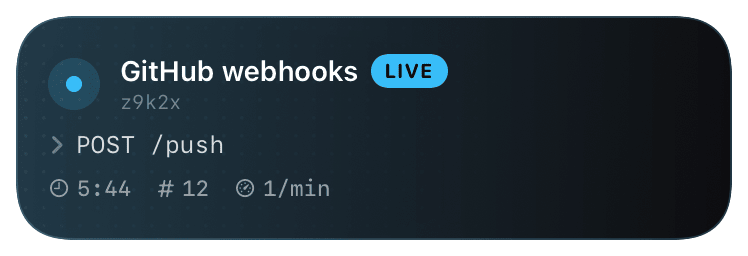
Header: Chirp icon + your inspector name + LIVE pill. If forwarding is on, the title row also shows `↪ myapp.com/stripe-webhook` so you can see at a glance "Chirp is watching AND relaying". Body: the most recent event's `METHOD /path` in mono, with the downstream HTTP response code (color-coded: 2xx green, 3xx amber, 4xx/5xx red). Footer: elapsed time since the inspector started, total event count, per-minute rate. Verbose mode adds a 5-row timeline below the action line, each row showing whether that event was forwarded (`↪`) or just observed (hollow dot).

Troubleshooting

Stripe says my webhook signature is invalid after I added the forward.
Make sure you're using the receive URL Chirp minted - Stripe should be POSTing to api.chirpapp.dev/inspect/<token>, not directly to your app. The signature in Stripe-Signature is over the body bytes; we forward those bytes verbatim, so the signature check on YOUR app should still pass. If it doesn't, verify your signing secret matches the one Stripe shows next to the webhook (a new endpoint = a new secret).
Events arrive at Chirp but the forward shows status 502.
Status 502 with a forward_status: -1 means our forward request timed out (default 10s). Status -2 means we couldn't connect (DNS/TCP). Status -3 is everything else. Check the forward URL is reachable from the public internet and responds within 10 seconds.
The Live Activity isn't updating despite events arriving.
Per-inspector APNs push rate is capped at 30/min to bound your push budget. If you're getting >30 events/min, the activity will batch-update. The events themselves are still ingested and forwarded - the cap is only on the lock-screen update frequency.
I want to see the full payload of an event, not just method + path.
GET /v1/inspectors/:id/events returns the last 50 captured events with full body (truncated to 16KB per event). The dashboard surfaces a UI for this - full body view + headers + downstream response code per event.
External docs →